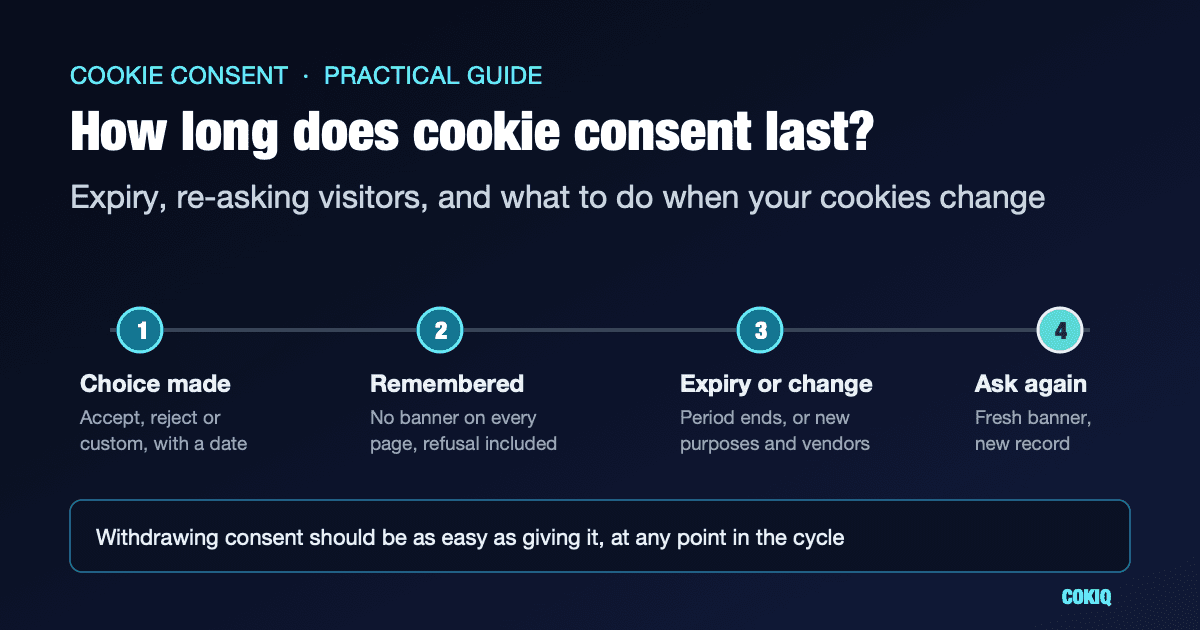
A visitor clicks Accept, or Reject, on your cookie banner. How long is that answer good for? A week? A year? Until they clear their browser?
It is one of the most common questions site owners ask once their banner is live, and the honest answer is that the law does not hand you a number. What regulators do give you is a set of principles, and in one case a clear recommendation. This guide walks through both, explains when you should ask visitors again even if their choice has not expired, and ends with a quick test you can run on your own site.
This is practical guidance, not legal advice. If you operate in a sector with its own rules, check with your adviser.
What the rules actually say
The UK: proportionate, and limited to what you need
The ICO's guidance on storage and access technologies is direct about this: PECR does not specify how long you can use a cookie or similar technology. Instead, you should pick a duration that is proportionate to what you are trying to achieve and limited to what is necessary for that purpose. Where personal data is involved, the UK GDPR principles of purpose limitation and storage limitation apply as well.
The ICO gives a useful example: a persistent cookie that stores user preferences might reasonably last something like 90 days, if that suits your service and its users. It also points out a detail that catches many teams out. Cookies normally have an expiry date, but objects stored in a browser's localStorage may have none at all, so you need to decide on a limit and enforce it yourself.
France: about six months, for acceptance and refusal alike
The CNIL is more specific. In its public answer on whether a site can ask again after a visitor has refused cookies, it says yes, after a certain amount of time, and never while the person is still browsing the site. It then recommends keeping the refusal, or the acceptance, for six months (CNIL). The CNIL describes six months as good practice that can be assessed case by case, not as a hard legal limit.
Two things in that answer matter for banner design. First, refusal and acceptance are treated the same way. Second, re-asking during a browsing session is ruled out: a visitor should not have to say no on every page.
Everywhere under the GDPR: withdrawal at any time
However long you remember a choice, Article 7(3) of the GDPR says people can withdraw their consent at any time, and that withdrawing must be as easy as giving consent. Article 7(1) adds that you must be able to demonstrate that consent was given. The ICO's own audit checklist for cookies asks the same practical questions: can users reject as easily as they accept, and can they withdraw with the same ease they gave consent?
So expiry is only half of the picture. A good setup has a sensible expiry date and a permanent, easy way back.
Choosing a duration that you can defend
Because there is no single number, the useful question is not "what is the maximum?" but "what can we explain if someone asks?" A few points help here.
Use the same duration for Accept and Reject. This is the easiest one to get wrong. Some banners keep an acceptance for a year but forget a refusal at the end of the session, so people who said no see the banner again on their next visit until they give in. Even if every individual screen looks fine, the overall effect pushes visitors towards accepting. Treat both answers the same.
Match the duration to your audience. If a meaningful share of your visitors is in France, following the CNIL's six-month practice is the simplest way to show you took its guidance seriously. For a UK-focused site, the ICO leaves the choice to you, as long as you can explain why your period is proportionate. If you serve both, many teams pick the shorter period for everyone rather than run two sets of rules.
Be careful with "forever". A consent cookie with an expiry date years in the future, or a localStorage entry with no expiry at all, is hard to justify as limited to what is necessary. It also means a visitor's answer from long ago keeps applying to a site that may have changed a lot since then.
Write it down. Whatever you choose, record the duration and your reason in your cookie policy or internal compliance notes. If you keep consent records, each record should show when the choice was made and when it expires.
When to ask again before the choice expires
Expiry is the routine reason to show the banner again. These are the situations where you should usually ask sooner.
You add a new purpose
Consent under the GDPR is given for specific purposes that you described at the time. If someone agreed to analytics and you now want to add advertising or personalisation, that earlier agreement does not stretch to cover it. Add the new category to your banner, explain it, and ask again.
You add tools that change who gets the data
Swapping one analytics tool for another with the same purpose is not always a reason to re-ask, but adding a new advertising partner, a session recording tool or anything that sends data to a new kind of recipient often is. If your banner or cookie information named the providers, and that list is now wrong, the information visitors relied on is out of date. A cookie scan after every significant site change is the easiest way to spot new tools before visitors do.
Your banner or policy changes in a meaningful way
Rewording a sentence does not need a fresh round of consent. Changing what a category includes, how long data is kept or which countries it goes to probably does. A practical rule: if a visitor who agreed last month would be surprised by the change, ask again.
The rules that apply to the visitor change
Banners that show different options depending on where a visitor is located, for example an opt-in banner in Europe and an opt-out choice for US visitors, should not reuse a choice made under one set of rules when another set now applies.
What is not a good reason to ask again
Showing the banner again because a visitor said no, because conversion rates dropped, or on every new session. The CNIL's position that a site should not re-ask during browsing exists precisely to stop people being worn down into accepting.
A 10-minute test for your own site
Banner settings pages tell you what should happen. A browser test tells you what does happen. Use a private window so you start clean.
- Reject, then browse. Click Reject All on the homepage and visit three or four other pages. The banner should not reappear, and your browser's network panel should show no analytics or advertising requests. The Reject All testing guide covers this step in more detail.
- Reload and come back. Close the tab, open the site again in the same window and check that the refusal is still remembered.
- Find the stored choice. In your browser's developer tools, look under Application (or Storage) for the consent cookie or localStorage entry. Note its expiry date. If there is no expiry at all, find out how your banner enforces one.
- Check the period matches your policy. Compare that expiry with what your cookie policy says. Repeat with Accept All and check both answers last the same time.
- Change your mind. Use the footer link or preferences button to reopen the banner and switch from accept to reject. Confirm tags stop firing from the next page.
- Repeat on mobile. Small-screen layouts are where preference links tend to disappear.
Save screenshots with the date and URL. If you also honour browser signals, add the steps from our Global Privacy Control checklist.
How COKIQ handles consent duration
If you use COKIQ, this is what the banner script does today:
- Every saved choice has an expiry date. When a visitor accepts, rejects or saves custom choices, the script stores the choice with an expiry timestamp. The default duration is 12 months and it is a per-site setting. Once a choice has expired, it is not reused and the banner asks again. Accept and Reject use the same duration.
- A changed context means a fresh question. Each choice also records the policy version and the regulation profile it was made under. If either no longer matches, for example a visitor whose choice was made under a different regional profile, the stored choice is ignored and the banner appears again.
- Records include the dates. Each consent record the script sends to your COKIQ consent log includes when the choice was made, when it expires, the policy version and the banner version, so you can show what applied at the time.
- There is always a way back. After a choice is made, a small "Manage cookie preferences" button lets visitors reopen their settings, and developers can call
Cokiq.showBanner()from a footer link.
If you want a period other than 12 months, for example to follow the CNIL's six-month practice, contact us about the setting for your site. COKIQ cannot decide for you when a change to your site is significant enough to re-ask, and it cannot stop a tag that is hard-coded outside the banner's control, so the browser test above is still worth doing. Start with a free website scan to see which tracking scripts your page loads, and see the banner customization docs for the options you can set yourself.
Quick checklist
- You have chosen a consent duration and can explain why it is proportionate
- Accept and Reject are remembered for the same period
- The stored choice has a real expiry date, including anything in localStorage
- The banner does not reappear on every page or every session
- New purposes, new types of partner or meaningful policy changes trigger a fresh question
- Visitors can reopen their choices at any time from every page
- Your consent records show when each choice was made and when it expires
- You have dated screenshots of the test
When you are ready to put a banner in place that handles expiry and re-consent for you, compare COKIQ plans.