
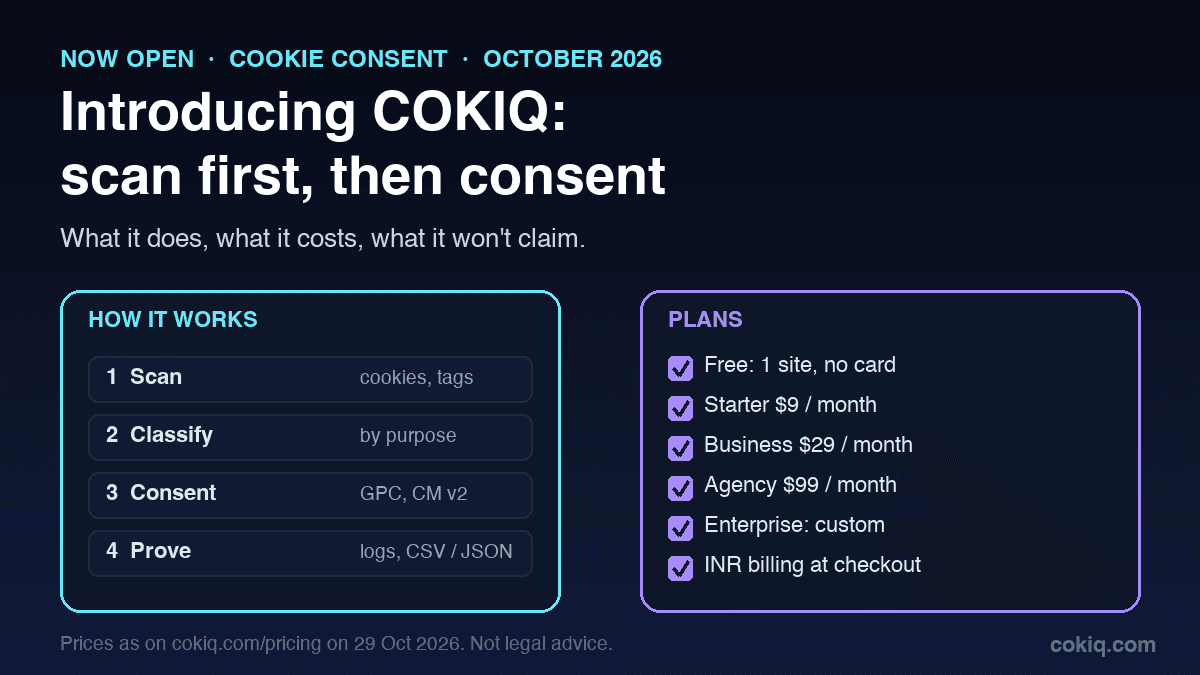
COKIQ is open to every website now. It is a consent platform that starts with a scan of your site rather than a banner template, then runs the banner, holds tags until visitors choose, and keeps a record of every choice.
This post explains what it does, what each plan costs, and the things we will not claim. If you only want to try it, the free scan takes a URL and needs no account.
Why we start with a scan
Most consent problems we see are not about the banner's wording. They are about what loads before anyone clicks. A marketing pixel added during a campaign, a YouTube embed on one landing page, or an old analytics tag that nobody removed will keep setting cookies even when the banner looks perfect.
Regulators judge what the page actually does. The UK ICO's guidance on cookies and similar technologies asks for consent before non-essential cookies are set, and the EDPB's guidelines on consent describe consent that is freely given, specific, informed and unambiguous. You can't meet either if you don't know what your site loads. So COKIQ looks first. Our post on what cookie scanners find and miss covers the limits of scanning in more detail.
How COKIQ works in four steps
1. Scan. COKIQ loads your pages and lists the cookies, scripts, pixels, iframes and embeds it finds, plus missing policy links.
2. Classify. Each finding is grouped as necessary, analytics, marketing, preferences or needs review. Items COKIQ can't identify are marked for review instead of being guessed.
3. Consent. The banner shows those categories, with Accept all, Reject all and Customize on the first layer. It runs regional profiles for the EEA, the UK, Switzerland, the US and India, and it honours Global Privacy Control. California's privacy regulator treats opt-out preference signals such as GPC as a valid opt-out request (CPPA regulations). Our GPC testing checklist shows how to check that yours is respected.
4. Prove. Every choice is logged with a timestamp, region and policy version. Scan history and policy versions are kept with it, and the log exports as CSV or JSON. Consent logging explained describes what a useful record contains.
Google Consent Mode v2
Google's consent mode lets Google tags adjust their behaviour to the visitor's choice through four signals: ad_storage, analytics_storage, ad_user_data and ad_personalization. COKIQ sets all four to denied before Google tags run, then updates them when the visitor accepts or rejects a category. There is an open-source COKIQ template for Google Tag Manager, so the banner can go in without custom code. If you are new to the topic, start with what Google Consent Mode v2 is.
India and the DPDP Act
Indian businesses get a dedicated profile. The Digital Personal Data Protection Act expects consent to be free, specific, informed and unambiguous, given by a clear affirmative action. The India profile is built around that standard, and the DPDPA cookie consent guide walks through the details.
Who it is built for
- Small business sites that need a correct banner and a record of choices without hiring a consultant. The free plan covers one site.
- E-commerce stores, where checkout and marketing tags change often. Shopify and WordPress guides cover the common setups, and scheduled scans on paid plans catch tags that were added after launch.
- SaaS teams that run a marketing site, a signup flow and a product on different stacks. The Next.js guide and the GTM template fit those setups, and our post on consent for product analytics covers the trickier cases.
- Agencies that look after many client sites. The Agency plan adds a portfolio dashboard, pooled pageviews and client reports, and the agency guide explains how teams run consent as a managed service.
- Compliance and legal teams that need evidence more than a banner: scan history, policy versions and consent exports in one place.
What it costs
Prices are the same as on the pricing page:
- Free, $0: one website, 5,000 pageviews a month, 100 pages per scan, 30-day consent logs, COKIQ branding. No credit card.
- Starter, $9 a month (Rs 799 in INR at checkout): one website, 100,000 pageviews a month, a monthly scan, one-year logs and branding control.
- Business, $29 a month (Rs 1,999): three websites, 300,000 pageviews a month, weekly scans, CSV and PDF reports, and no COKIQ branding.
- Agency, $99 a month (Rs 6,999): ten or more websites with pooled pageviews, client reports and a portfolio dashboard.
- Enterprise, custom: SSO/SAML, role-based access, audit logs, DPA and SLA, and dedicated onboarding.
What COKIQ does not claim
We'd rather you hear the limits from us:
- COKIQ is not a Google CMP Partner and holds no Google badge. We are preparing an application and will show a badge only if Google awards one.
- COKIQ is not a Google-certified CMP for publishers and does not use the IAB Transparency and Consent Framework. If you show AdSense, Ad Manager or AdMob ads to visitors in the EEA, the UK or Switzerland, Google requires a certified CMP for those ads (Google Ad Manager help).
- COKIQ is not an IAB Europe registered CMP.
- Installing any consent tool, ours included, does not make a website compliant by itself. Your text, categories and settings still need a review. This article is general information, not legal advice.
The Google integrations page keeps this status current.
Getting started
- Run a free scan on your main domain and look at the "needs review" items first.
- Follow the setup guide for your platform in the documentation or on the integrations page: WordPress, Shopify, Google Tag Manager or Next.js.
- Check the banner from an EEA and a US connection, with GPC switched on in your browser.
- Export your first consent records and keep them with your privacy policy version.
Want to see new features before everyone else? Join the COKIQ beta. Questions about your setup go to support@cokiq.com.