
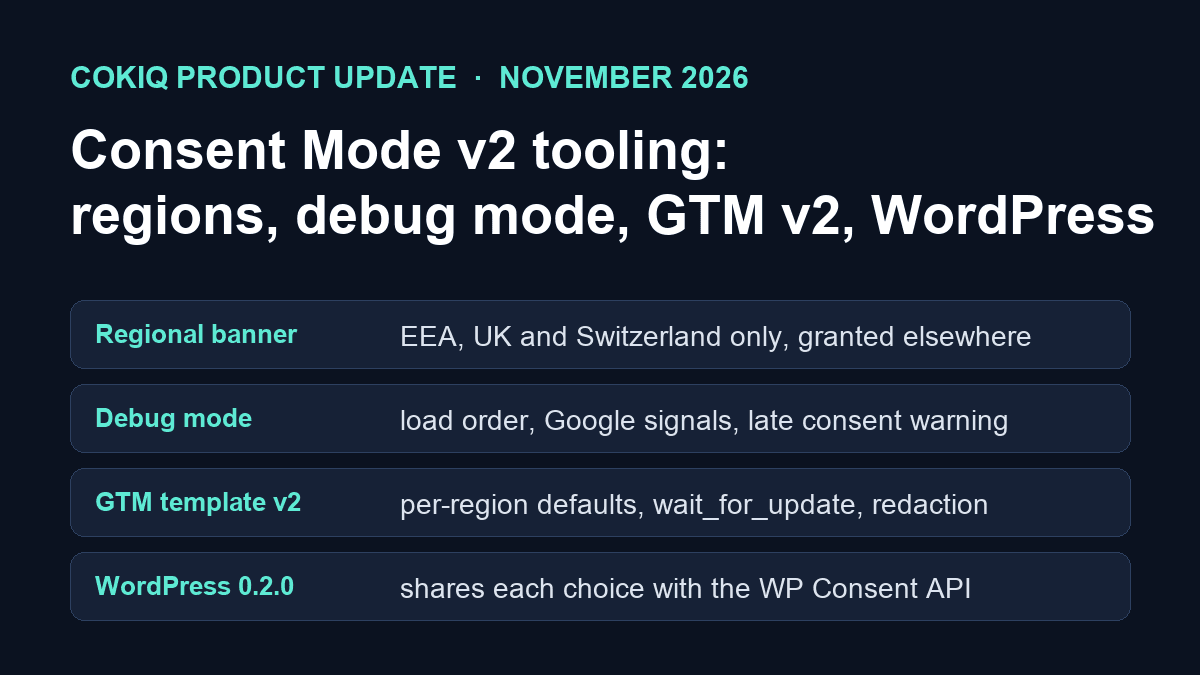
This update is about Google Consent Mode v2 in day-to-day use. Three questions come up most in support: Can I show the banner only to European visitors? How do I know the consent default fired before my Google tags? How do I set this up in Google Tag Manager or WordPress? Each one now has a feature and a guide.
All of it is live for every COKIQ plan today, including the free plan.
1. Banner only in the EEA, the UK and Switzerland
A new setting, Banner > Google Consent Mode v2 > Where to show the banner, offers two options:
- All visitors (the previous behaviour): everyone sees the banner and starts with denied defaults.
- Only in the EEA, the UK and Switzerland: COKIQ sends a granted default for all regions and a denied default for the 30 EEA countries, the UK and Switzerland. Visitors from those countries see the banner. Everyone else sees no banner and consent stays granted.
COKIQ looks up the visitor country on its own server. If the country cannot be determined, the banner is shown. Visitors who send Global Privacy Control get ad signals denied wherever they are.
Guide: Banner only in the EEA, UK and Switzerland. Try it: regional demo.
2. Debug mode
Open any page of your site with ?cokiq_debug=1, or tick Debug mode in the dashboard, and COKIQ writes a report to your browser console:
- whether the consent default was set before any Google tag ran, or a red "LATE CONSENT" warning if it was not
- the default and every update after a choice, with the visitor country and compliance profile
- the consent state reported by the Google tag and the gcs/gcd values on Google hits
- a hint when a Google tag is served from your own domain (for example through Google tag gateway)
Debug mode only writes to your own console. Visitors see nothing and no extra data is sent. Guide: Debug mode.
3. A Google-ready banner template
One click on Use the Google-ready template fills the banner text so it explains the purpose of data collection and adds a "How Google uses data" link to business.safety.google/privacy inside the banner, next to your privacy policy link. Accept All, Reject All and Customize stay on the banner, and nothing is accepted until the visitor chooses. Guide: Banner that meets Google's requirements.
4. Google Tag Manager template v2
Version 2 of the COKIQ GTM template sets the Consent Mode default per region (all regions, EEA + UK + Switzerland, or your own list) before any other tag fires, with options for wait_for_update, ads_data_redaction and url_passthrough, then loads the COKIQ banner. Source and import instructions: github.com/HOSTAO/cokiq-gtm-template. The template has been submitted to the Community Template Gallery and is not listed there yet.
Settings reference: Google Consent Mode settings. If you route Google tags through your own domain: Google tag gateway with COKIQ.
5. WordPress plugin 0.2.0 with the WP Consent API
The COKIQ WordPress plugin installs the banner and shares each visitor's choice with the WP Consent API, so plugins that read it (statistics and marketing categories) follow the same decision: deny before a choice, allow after Accept All, deny again after Reject All. Settings > COKIQ Consent shows whether the plugin is registered with the WP Consent API.
Download: cokiq-wordpress-0.2.0.zip (full source, GPL-2.0-or-later). Guide: WordPress and the WP Consent API.
What this update does not change
COKIQ is still not a Google CMP Partner and is not certified for AdSense, Ad Manager or AdMob, because it does not offer an IAB TCF banner. It sends Consent Mode v2 signals; whether your setup meets the law where you operate is for you and your counsel to decide. Our Google Consent Mode page lists exactly what is supported.
If something does not work as described, contact support@cokiq.com first. We aim to reply within one business day.
Google, Google Tag Manager and Google Analytics are trademarks of Google LLC. WordPress is a trademark of the WordPress Foundation. Their use here does not imply endorsement.